Your crew works.
Your client sees it.
Your phone goes quiet.
Two-tap logging in the field, gloves on. Managers see everything, down to who edited what. And the owner in London gets a clean report with times and photos, without the 9pm phone calls.
No credit card. Your first crew is set up in 20 minutes.
Your current software is called WhatsApp.
Photos buried in group chats, hours on paper, chlorine in a spreadsheet nobody has opened since December. And when the owner asks what happened on Thursday, nobody has the answer at hand. Kintal fixes that in a day.
Who sees what. House rules.
One record, three views. Everyone sees what they need, and nothing more.
The crew
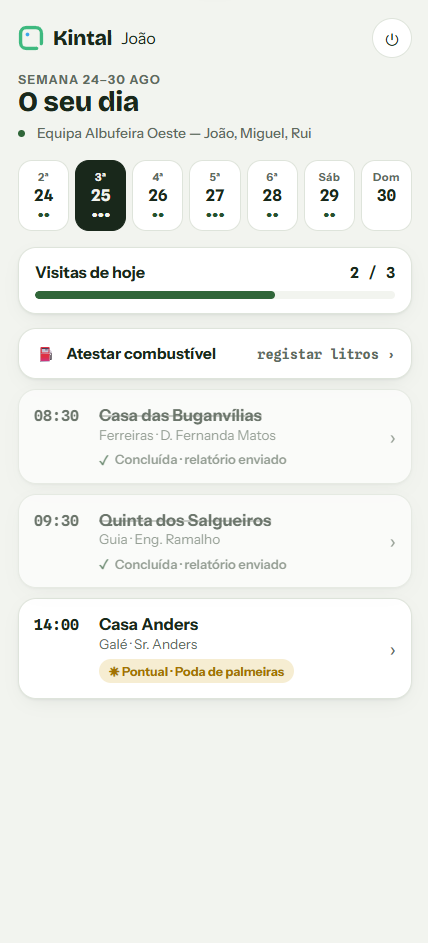
Sees today. Big buttons, photos, voice notes, plus and minus for chlorine. Zero training, zero patience required.
The manager
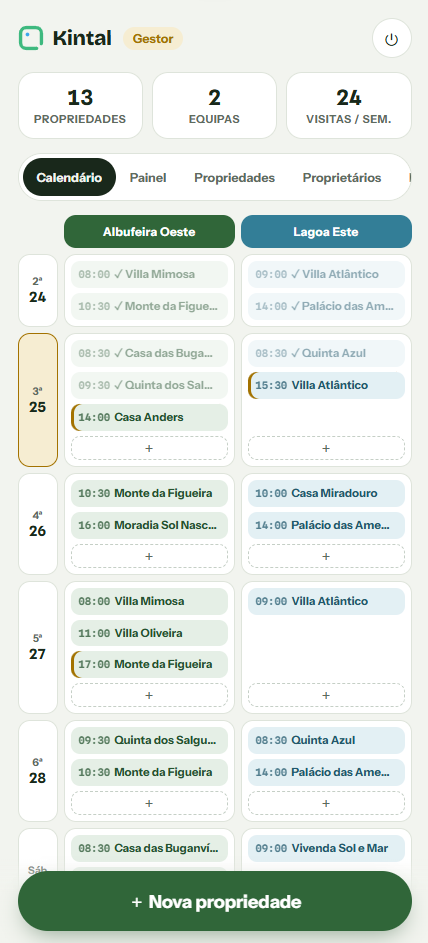
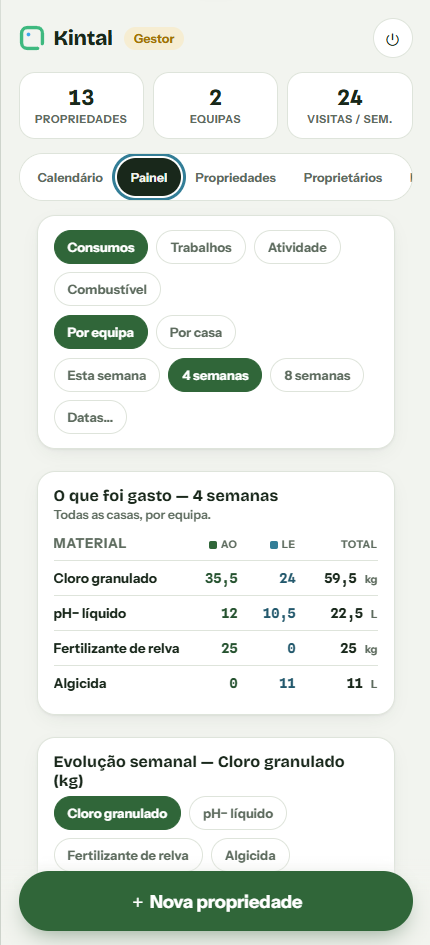
Sees everything. Who logged what, who edited, consumables per property, fuel per person. Dashboards down to the day and the visit.
The owner
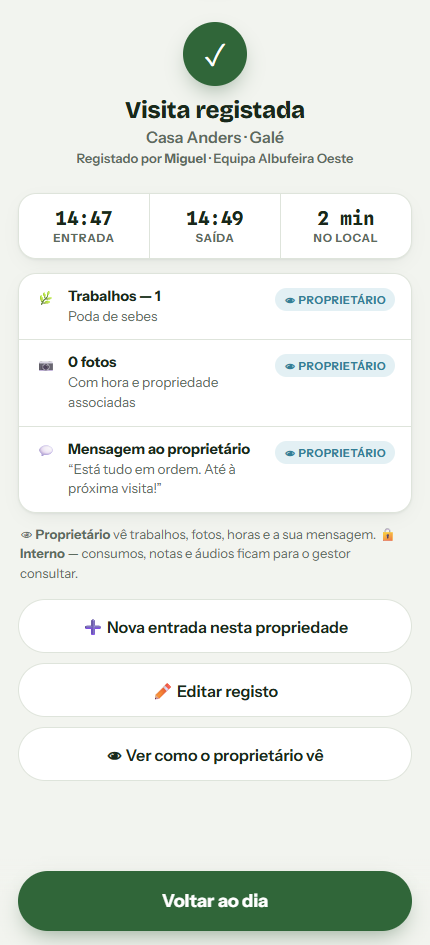
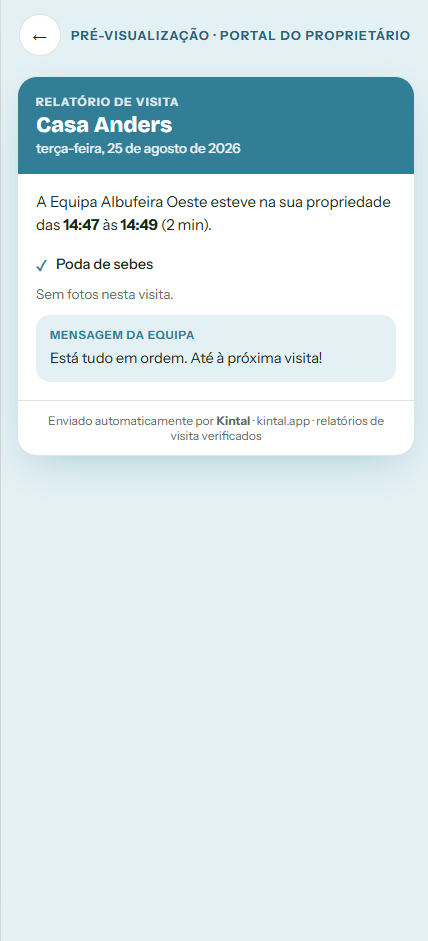
Sees the result. Time on site, work done, photos and a friendly message. Never costs, names or the internal kitchen.
From zero to the first report, in 4 steps.
Set up in 20 minutes
Properties, schedules and work buttons. We help you build the first crew.
The crew logs the day
Clock in, work, photos, clock out. Two taps, gloves on.
The report sends itself
The owner gets times, work and photos. No costs, no names, no phone calls.
You see it all in the dashboard
Who did what, what was used where, fuel per person. Decisions with numbers.
Built for people who work in gloves.
Two taps and it is logged
Clock in, work, clock out. Buttons sized for a gloved finger.
Photos with timestamps
Every photo is pinned to the visit, with author and time. Nothing gets lost in chats.
Voice notes
Faster than typing. The manager listens later, the owner never does.
Consumables with + and −
Chlorine in kilos, salt in bags. The dashboard adds it up for you.
Fuel under control
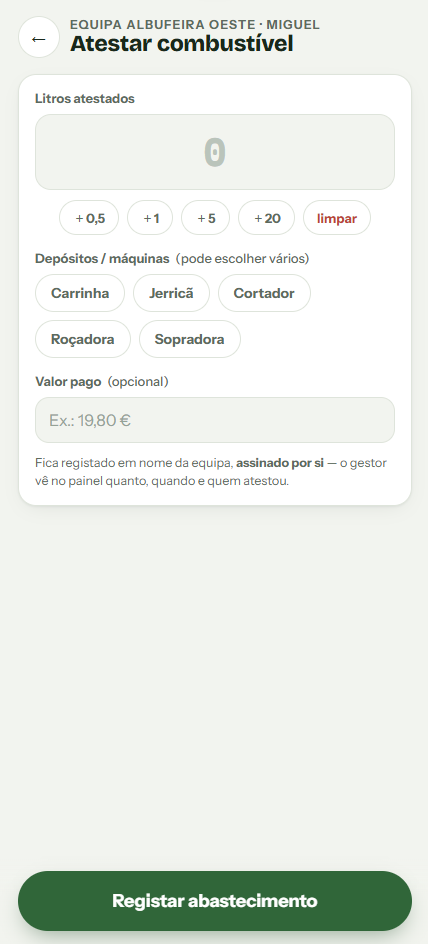
Liters, euros, who filled up and which tank. Per person, per week.
Full edit trail
Everything editable same day, everything leaves a trace. Trust loves that.
Reports in EN, DE and FR
Foreign owners read in their own language. Renewals love that too.
One-off jobs
Outside the routine, marked in gold. They never close themselves.
And everything else, all included:
- Weekly, biweekly and monthly recurring visits
- One-off jobs marked in gold
- Property file with access codes and warnings
- Full visit history per property
- Voice notes for people who hate typing
- Internal notes the owner never sees
- Edit trail with author and time
- Work buttons and consumables per crew
- Individual login per crew member
- Works on any smartphone, no hardware
- Your data is yours, export on request
- Owner reports in PT, EN, DE and FR
The product, no filters.
Real screenshots, fictional data. This is what your crew sees in the field.
Simple pricing. No fine print.
Users included in every plan, extras when you need them. Cancel anytime.
Horta
- Up to 20 properties
- Visits, photos and voice notes
- Owner reports in PT and EN
- Email support
Jardim
- 1 crew
- Recurring and one-off visits
- Photos, voice notes and consumables
- Owner reports in PT and EN
- Email support
Quinta
- Unlimited crews
- Everything in Jardim
- Consumables and activity dashboards
- Fuel per person
- Full edit trail
- Owner reports in EN, DE and FR
- Priority support
Herdade
- Users tailored to you
- Assisted onboarding
- Data migration
- SLA and annual billing
- Dedicated account manager
Straight questions, straight answers.
My workers do not like apps.
This was designed for them. Big buttons, almost nothing to read, voice notes instead of typing. If they can use WhatsApp, Kintal will feel like a holiday.
Does the owner see what I spent?
Never. Owners see times, work done, photos and your message. Costs, materials, who did what and internal notes stay inside the wall.
Does it work in the countryside with weak signal?
Yes. Logs are saved on the phone and sync when the network returns. Built with inland Algarve in mind.
Is it for pools, gardens or both?
Both, and it is rarely just one. Work buttons are configurable per crew: lawn on one, chlorine on another, all in one account.
How long does setup take?
20 minutes for your first crew: properties, schedules and work buttons. The next day your crew logs on their own.
Can I try it with my crew first?
14 days free with everything unlocked, no card. If your crew is not logging on their own after two weeks, it is not for you. No hard feelings.
Do I need to buy equipment?
No. Any smartphone from recent years works, Android or iPhone. No special tablets, no printers, no installations.
Who owns the data?
You do. Properties, records and history belong to your company. Request an export anytime and take everything with you.
Fewer phone calls. More renewed contracts.
Start today. Your crew will barely notice, and your clients definitely will.
Try free for 14 days